Toyota Corolla CarPlay and Android Auto: Buying Checks
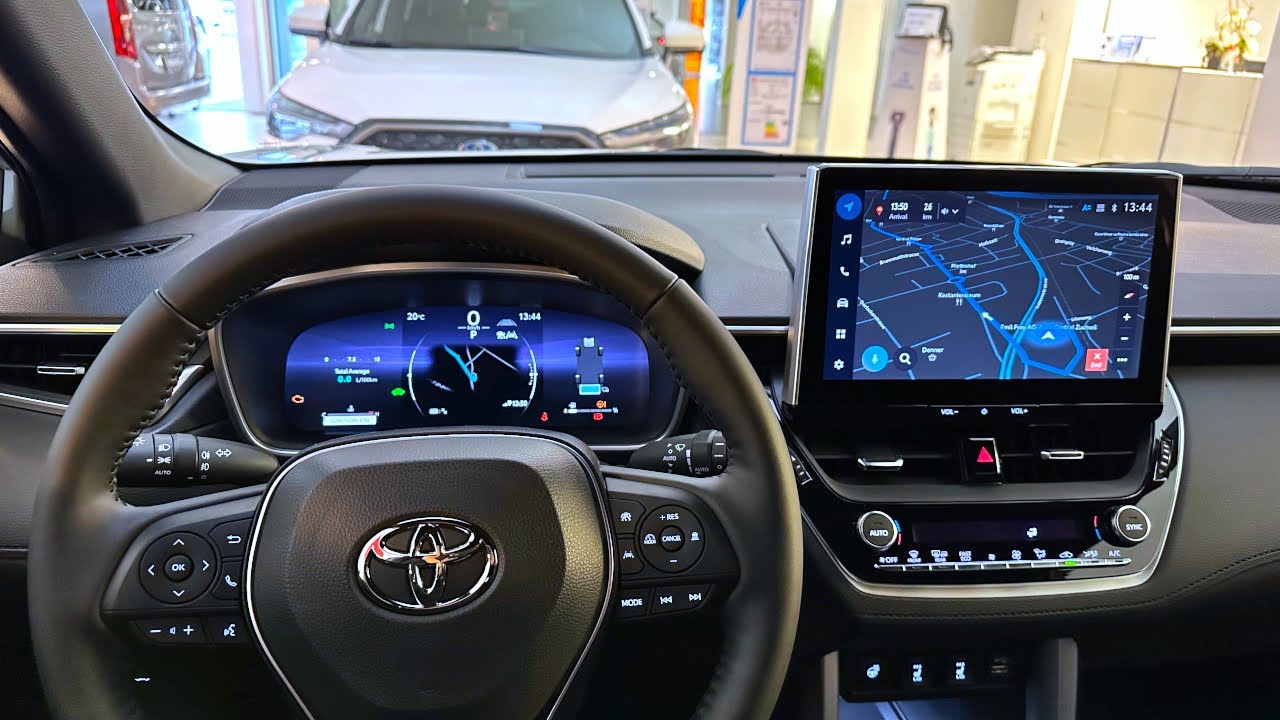
A Corolla listing that says smartphone connectivity may mean Bluetooth calls, screen mirroring or genuine Apple CarPlay or Android Auto. These are not equivalent. Equipment changes with model year, market and head unit, so ask for a demonstration using the system you intend to rely on. A large replacement screen is not by itself an upgrade you should pay more for.
Name the function rather than the marketing label
Tell the seller which phone and operating system you use. Request a demonstration of the specific function, including navigation display, audio and a call while safely parked. Bluetooth pairing does not establish CarPlay or Android Auto compatibility. Verify whether a cable is required and which USB connection carries data, rather than assuming every visible socket supports the same purpose.
Identify the original or replacement head unit
Ask for the head-unit model, software information and installation records if the screen has been changed. Establish who supports an aftermarket unit and whether its wiring has been altered. Check steering-wheel controls, the reversing-camera display and relevant vehicle settings after the demonstration. A phone interface that works at the expense of original controls is a compromise, not a complete specification match.
For the related checks, read Toyota Corolla: Spare Keys and Handover Checks.
Consider the destination and account requirements
Ask which functions rely on regional subscriptions, an app account, mobile data or map availability. Do not assume connected services available in the original sales market will transfer abroad. Separate these services from basic local phone projection. If a promised function cannot be shown or confirmed for your destination, treat it as unverified and exclude it from the value you assign to the car.
Agree a clean handover of devices and access
Have the owner remove personal data and account associations using the appropriate procedures before final handover. Then test your own connection again and record the cables or adapters included. Do not accept a seller's private account as a permanent solution. If a retrofit is proposed after purchase, obtain a written compatibility quotation before assuming that the original screen can simply be updated.
What to request before agreeing the purchase
- A parked demonstration with the intended phone platform.
- Head-unit identity and any retrofit invoice or support details.
- Working original controls, cameras and a clean account handover.
The buying decision
Choose the Corolla on the basis of demonstrated functions. If phone integration is essential, make the exact operation an acceptance condition; if it is optional, price a supported solution before deciding whether the car still represents a suitable purchase.
Questions buyers ask
Does Bluetooth prove CarPlay is fitted?
No. They are different functions, and the required phone-projection system must be demonstrated separately.
Can every imported Corolla be upgraded by software?
No. Hardware, regional specification and supported software all matter. Obtain a vehicle-specific answer before paying for an upgrade.